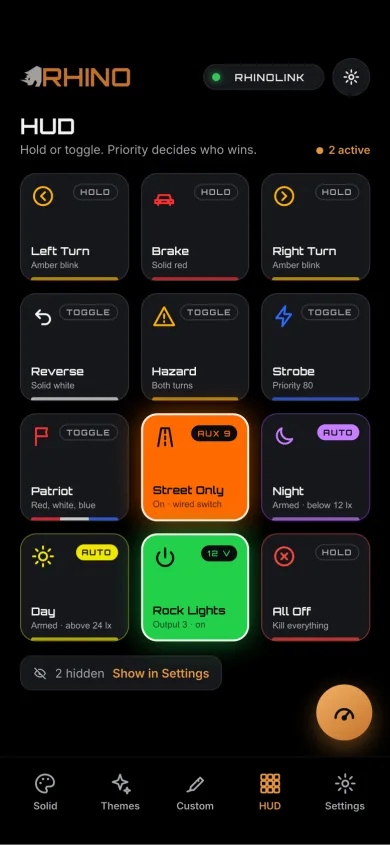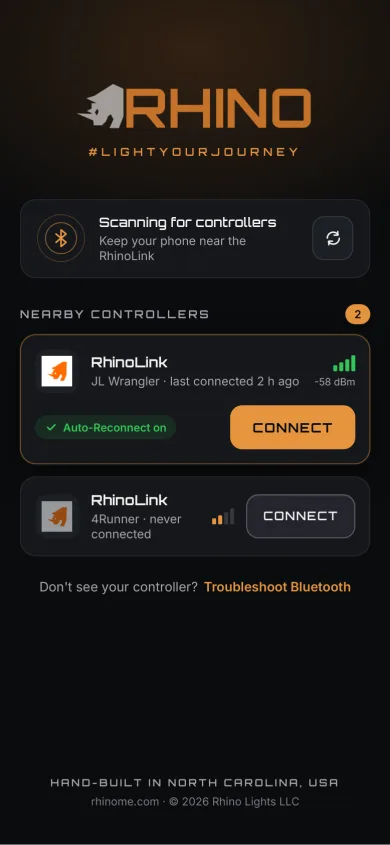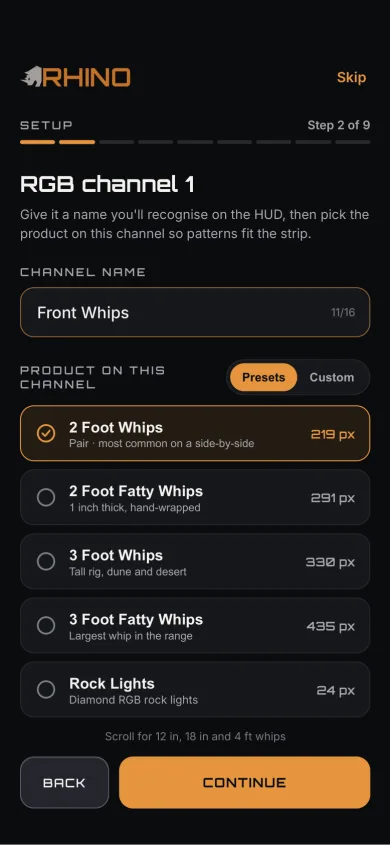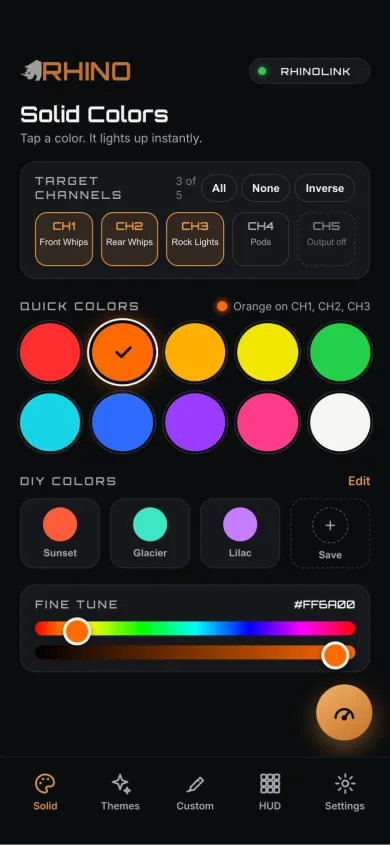
Your lights should know what your vehicle is doing.
RhinoLink is the control system in the middle of the build. It ties your Rhino RGB lighting, your vehicle’s turn, brake and reverse signals, your switch panel and your accessory relays into one thing that behaves the way you decide — with the RhinoLED iOS app on top for the times you want a phone in your hand.
BETA pre-order — first production units are preparing to ship.
Vehicle in. Lights and accessories out.
One board sits between what your vehicle is doing and what your lighting does about it. Everything further down this page is a variation on this diagram.
Your vehicle
12 opto-isolated 12 V inputs. Wire the signals your machine already has.
- Turn
- Brake
- Reverse
- Door
- Switch panel
- Custom 12 V
RhinoLink
You map each input to an action, set how long a signal has to be present before it counts, and set which action wins when two arrive at once. Then the board runs it.
- 21 trigger actions to choose from
- Priority resolved per action
- The rules live on the board
Your RGB system
5 zones, assigned to whatever you have mounted.
- Rock lights
- Whips
- Halos
- Pod RGB rings
- RGB strip
Accessories
8 outputs, each designed to trigger an external relay — so the same event that changes your lighting can turn something on.
RhinoLED app
One signal. Multiple actions.
A commodity controller treats an input as a switch: one wire, one thing. RhinoLink treats it as an event you get to describe. Wire the reverse signal once, then decide — zone by zone, output by output — what backing up looks like on your machine.
None of what follows is a factory default. It is one configuration, built in the app in a few minutes, and then it lives on the board.
See the trigger systemSelected zones go white
Pick which of your 5 zones change, and which carry on as they were.
Rear zones light the ground
Rear rock lights and whips throw light where you are actually going.
Pod rings change with them
The RGB rings are a zone like any other, so the front of the machine can answer the same signal.
Backup pods or a work light come on
The same event drives an output, and that output switches an external relay.
The zones go back to work
Pattern, colors, brightness and speed return. If another zone is still running the same animated pattern, the returning zone re-joins that animation as it is running.
Interrupt a zone. Don’t break the whole show.
The same trigger can do both at once
A trigger is not limited to one kind of result. One input — or one button in the app — can change what your RGB zones are doing and fire relay outputs in the same instant. A trigger can also be set to fire outputs only, with no lighting change at all, for the accessories that have nothing to do with color.
RhinoLink controls auxiliary and accent lighting. It is not a replacement for required factory vehicle lighting. Lighting regulations vary — check local requirements before public-road use.
What would RhinoLink do on your build?
Same board, four very different machines. You name the zones after what is actually bolted to the vehicle, then decide what each one does when a signal arrives.
Side-by-side and UTV
The machine most likely to be running whips, rock lights and a switch panel already.
- Whips act as turn signals, left and right independently
- Pod rings join the same turn signal
- Rock-light zones indicate which way you are turning
- Reverse lights the rear zones and fires a backup-lighting relay
- Switch-panel positions wired into spare inputs
- Once configured, none of that needs the phone
Jeep and Bronco
A trail rig on Saturday and a parking-lot rig on Sunday, without two controllers.
- Pod rings and turn signals working together at the front
- Door input drives puddle and interior accent lighting
- Reverse plus an auxiliary backup relay
- Brake picks up the rear zones
- Trail lighting and show lighting from one controller
Truck
Where the accessory half of the board earns its keep as much as the lighting half.
- Wheel-well zones front and rear
- Halos and pod rings respond to turn and brake
- Bed and work lighting on relay triggers
- Reverse throws light behind the tailgate
- The switch panel wires straight into the 12 configurable inputs
Show and custom builds
The half of the product that has nothing to do with turn signals.
- 5 zones running independently of each other
- 90 built-in patterns and 54 Quick Themes
- Custom color palettes, your colors on any pattern
- Sound reactive from the microphone on the board
- Shortcuts in the app, or a physical button on an input
You don’t have to choose between a show controller and a vehicle controller.
One Rhino RGB ecosystem.
Because the firmware is ours, the lights on a build are not separate products that happen to be the same color. They are zones of one system, and any of them can be assigned to any of the 5 zones.
Diamond RGB rock lights
Wheel wells, underbody, and the accent positions nobody sees until dark. The densest pixel count in the system, so chases and direction cues actually read.
Rhino 2.0 whips — 1" RGB
The classic 1" whip. Rear visibility, turn-signal duty, and the show pattern when the machine is parked — all from the same zone.
Rhino 2.5 Fattie whips — 1.3" RGB
A 1.3" tube means more lit surface to be seen from. Same zone assignment, same triggers, more of it.
Rhino RGB halos
Front-end accent lighting that can answer the same turn and brake inputs as everything else on the vehicle.
RGB strip
Interior, underbody, bed rails, roll cage — the zone you cut to length for the part of the build that has no product category.
Rhino Pod RGB rings
The RGB ring around the pod joins the system as a zone, so the front of the vehicle reacts with the rest of it. The pod’s high-output main beam is not an addressable zone — it can be switched through an appropriately wired external relay off a RhinoLink output.
See the pod lightsWhat RhinoLink runs
- Diamond RGB rock lights
- Rhino 2.0 whips — 1" RGB
- Rhino 2.5 Fattie whips — 1.3" RGB
- Rhino RGB halos
- RGB strip
- Rhino Pod RGB rings
What runs on the RGB+W system
- Axion RGB+W rock lights
- Rhino 3.0 RGB+W whips
RhinoLink runs the Rhino RGB system. Axion and Rhino 3.0 are RGB+W — a separate architecture with its own controller, and the two do not sync.
Start with four rock lights. Grow into the rest.
A first RGB system is usually four Diamond RGB rock lights and nothing else. That is a complete build, and it is also a starting point: whips into their own zones, halos and pod rings at the front, RGB strip wherever the build has no product category, then the vehicle inputs, then the relay-triggered accessories. RhinoLink is the part you do not replace along the way — it is the foundation the rest of the build grows around.
A Bluetooth controller waits for your phone.
RhinoLink listens to your vehicle.
The commodity model
Phone → lights.
- One channel, or a couple that do the same thing
- Nothing to wire the vehicle into
- Every change starts with unlocking a phone
- Accessories are somebody else’s problem
RhinoLink
Phone and vehicle and physical controls → RhinoLink → lights and accessories.
- 5 zones that behave independently
- 12 inputs for signals and switches
- 8 outputs for relay-triggered accessories
- Rules resolved on the board, in priority order
Set it in the app. The board remembers.
Configuration happens over Bluetooth, in the RhinoLED app. What matters is where it goes afterwards: onto the controller. Your trigger mappings, your automotive variant selections, your output settings and your startup configuration are stored on RhinoLink, so the vehicle-triggered half of the system does not wait for a phone to initiate it.
- No cloud account, no WiFi, no subscription
- Triggers are resolved on the board, not in the app
- The microphone is on the controller — audio is processed there
- Power the vehicle up and the configuration is already loaded
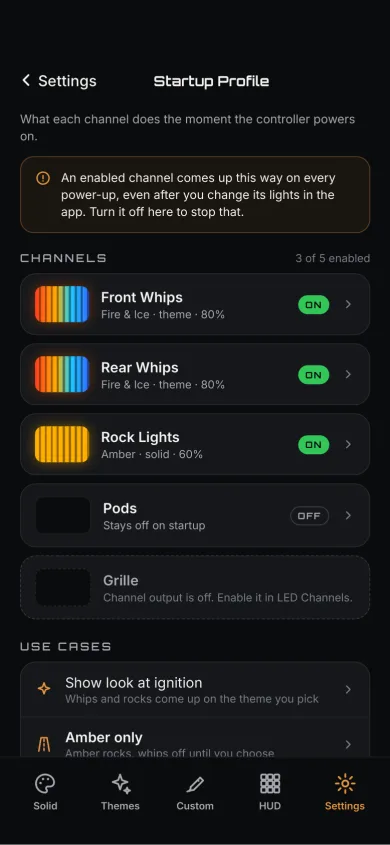
A Startup Profile is not the same thing as trigger restore. Trigger restore is what happens when a signal releases a zone mid-drive — the zone returns to what it was running. A Startup Profile is what happens at power-on: without one, the vehicle comes up in its remembered state; with one, the channels you chose come up in the pattern, color, brightness and speed you set.
See how the Startup Profile works
Your command center when you want it.
Your vehicle still works when you don’t.
RhinoLED is where the system gets built: iPhone, iOS 15.0 or later, free download. Set up the 5 zones, rename the channels after the parts of the vehicle they are actually on, label the outputs, then drive the whole thing by hand whenever you feel like it.
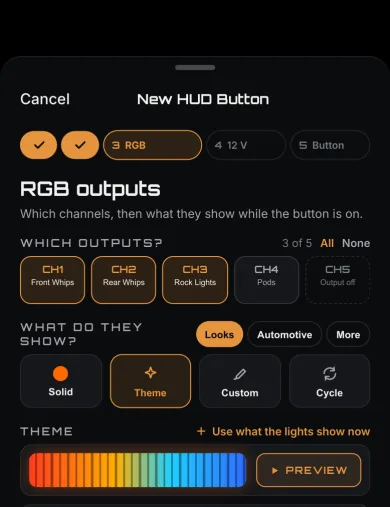
Zones and channels
Configure 5 zones and rename each channel for the vehicle
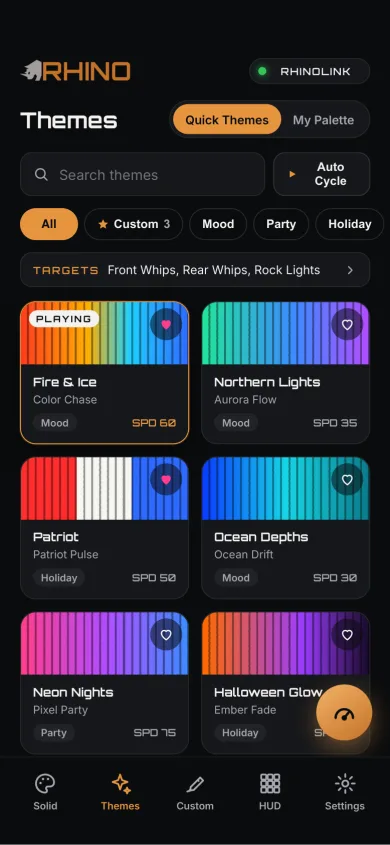
Quick Themes
54 ready-made combinations, plus your own palettes
Live HUD
The board pushes trigger state as it happens — no polling, no refresh
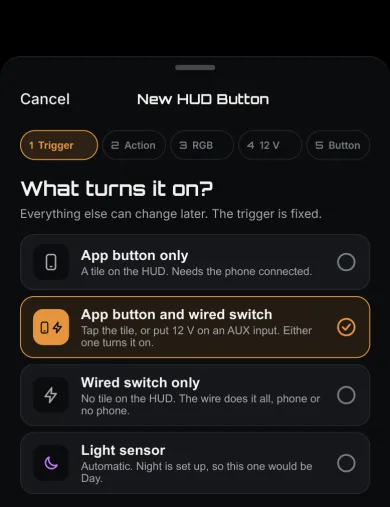
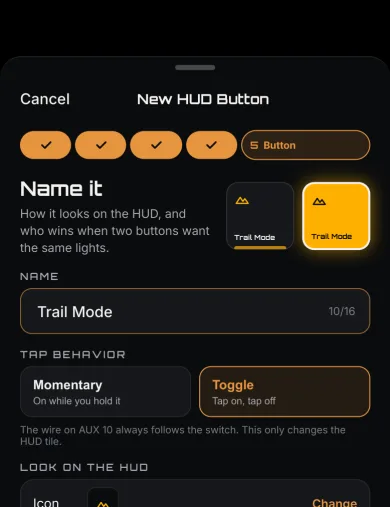
Virtual shortcuts
Buttons in the app for actions with no wire behind them
Brightness and speed
Always within reach, per zone, while a pattern is running
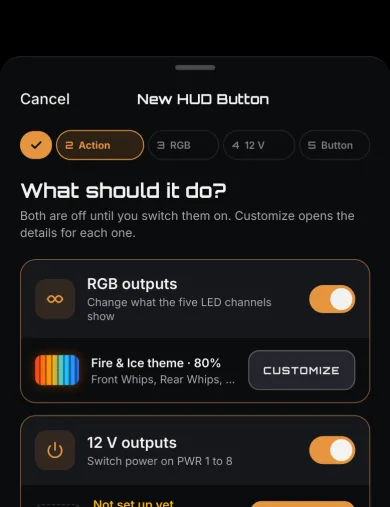
Setup wizard
First-run configuration, then the startup behavior you want
Driven from the app
- Configuring anything, first time or after a change
- Quick Themes, custom palettes and custom patterns
- Favorites and virtual shortcuts
- The live HUD and its layout
- Interactive brightness and speed changes
Running on RhinoLink
- Every wired trigger action, once you have mapped it
- Priority resolution between competing actions
- Automotive variant selections and output settings
- The Startup Profile at power-on
- Sound-reactive processing from the onboard microphone
Watch it run
Live HUD
Physical triggers show up here as they fire, pushed from the board
Solid color control
Any color on any zone, one zone at a time or all of them together
Custom themes
Build a combination once and keep it in the app
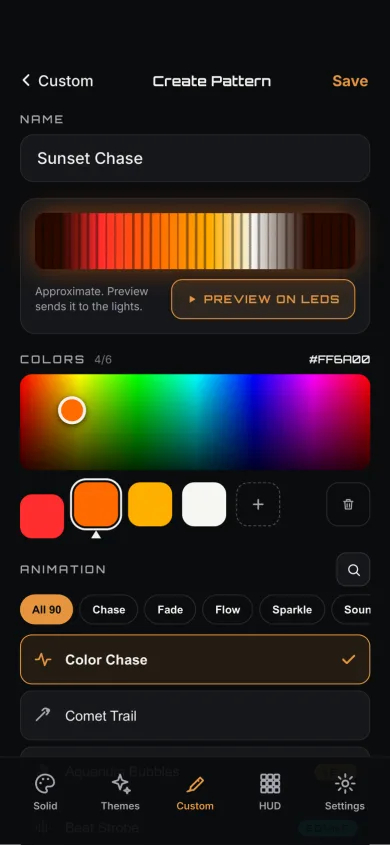
Pattern creator
Design your own pattern from your own colors
Favorites
The handful you actually use, one tap away
Device settings
Where configuration gets written to the controller
Patterns, themes and sound — on the same controller.
Now that you know what the board is for, here is what it can put on the lights.
21 automotive patterns
A separate set built for the signals rather than the show: 8 brake, 10 turn and 3 reverse. You pick which one a given action uses on your vehicle.
See the automotive patternsThe microphone is on the board
11 sound-reactive modes, and the audio that drives them is picked up and processed at the controller. Nothing is streamed from your phone, so the lights keep reacting whether or not the app is open — and what they react to is the room, not whatever the phone happens to be playing.
Every pattern, automotive or otherwise, draws from the colors you set. Pick your own palette and the whole library follows it.
Your lighting controller can control more than lighting effects.
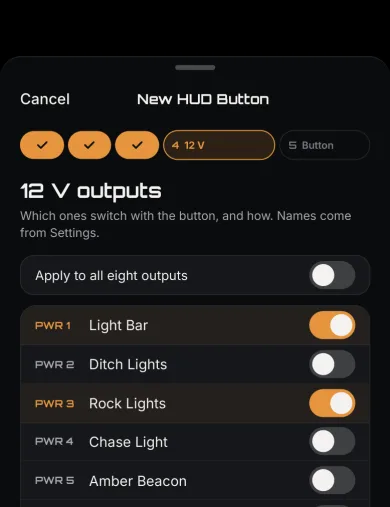
8 outputs, each designed to trigger an external relay. Any trigger that can change your lighting can drive one of them, which means the switch you already reach for and the signal your vehicle already sends can both do more than one job.
Work lights
On when reverse is live, on from a shortcut, or on from a switch
Pod beams
The high-output beam through a relay, alongside the RGB rings it sits next to
Backup lights
Wired to the same reverse event that changes the rear zones
Light bars
Switched from a mapped input or a button in the app
Fans
Anything you would otherwise run to its own toggle switch
Compressor control
One more thing the switch panel no longer has to find room for
Three behaviors, one adjustable rate
Solid holds the output while the trigger is active. Pulse and strobe run at a rate you set, anywhere from 0.5 Hz to 10 Hz — slow enough to read as a marker, fast enough to read as an alert, and yours to choose rather than ours.
Under the lid.
Rhino draws its own boards and writes its own firmware, so these are our numbers rather than a module vendor’s.
- Processor
- Nordic nRF52832, ARM Cortex-M4
- Wireless
- Bluetooth Low Energy. No WiFi, no cloud, no subscription.
- Vehicle inputs
- 12 × opto-isolated 12 V
- Input debounce
- 0–1000 ms, configurable per input
- Trigger actions
- 21 actions, plus a relay-only mode that fires outputs without touching a zone
- Priority range
- 5–150, with a floor per action
- Lighting zones
- 5 independent RGB zones
- Relay outputs
- 8 × Solid / Pulse / Strobe, 0.5–10 Hz
- Patterns
- 90 built-in, including 11 sound-reactive; 21 automotive
- Quick Themes
- 54
- Device name
- Rename the controller, up to 31 characters
- Saving
- Trigger configuration writes about 5 seconds after your last edit, and is force-saved on disconnect. Lighting state writes about 10 seconds after adjustments stop.
- App
- RhinoLED — iPhone, iOS 15.0 or later, free download
- System scope
- The Rhino RGB system
When two signals arrive at once
Every action carries a priority, and the higher one takes the zone. These are the floors each action starts at — you can raise an action above its floor, anywhere in the 5–150 range, to suit how you drive.
- Reverse 100
- Turn / Hazard 80
- Brake 70
- Street Only 65
- Patriot 60
- SOS 55
- Standard actions 40
Build the vehicle, not just the light show.
5 RGB zones, 12 vehicle inputs, 8 relay triggers and the RhinoLED app — one control system for the whole build.
Go deeper: see the trigger system · see the automotive patterns · see the pod lights
BETA pre-order — first production units are preparing to ship. Features may change before final release. Engineered, built and serviced in North Carolina